Introduction
I've been meaning to write about this for a while but have put it off. I didn't stop and realize it until a year or two ago, but it's becoming obvious now - I'm behind the times. Why? The main qualifier is that my most "modern" computer is currently a Dell Inspiron 1501, which my dad purchased for me as a Christmas present in 2006 for almost $700.
Here are specs for this computer:
*1.8 GHz AMD Mobile Sempron processor
*2 GB of RAM (originally 512 MB)
*60 GB HDD (though I have a 500 GB external USB drive)
*Windows XP Media Center Edition 2005 SP2
Even back in 2006, this computer was considered average and nothing particularly impressive, but you know what? I needed and wanted a "newer" computer (something a little more modern than my 300 MHz Pentium II Windows 98 PACE computer and that could do more - matching or exceeding the performance of my dad's Dell Dimension 4400 from April 2002 (which now belongs to me)). So I was quite happy that I got this computer.
More than five years have passed, and I'm still happy with this computer. It still meets pretty much all of my computing needs. But it has dawned on me recently that not many people are still using PCs from 2006 as their main computers. And they're not even using Windows XP anymore. No, most people these days have got these flashy new computers from at least 2008-2010 and are running Windows 7, have dual-core processors, and 4 GB and above of RAM.
And when I realize how new these machines are - and how I'm still using technology that can now be considered fairly outdated, I wonder...what the heck happened!? Did I miss something? Why is it that with every new piece of technology that comes out, everyone suddenly buys it and immediately deems the old stuff as obsolete and unusable? And more importantly, why do people's needs change so much to the point that they have to constantly raise system specifications? And where in the world do they get money for these things - especially in a poor economy?
Honestly, are people ever going to be satisfied with what they have? Can they not be grateful for what they have? I mean, I've been using this same laptop for over five years, it still works perfectly fine, and it still meets my computing needs even though I don't have Windows 7, a dual-core processor, or over 4 GB of RAM. I just don't get it. What more do people want from computers? Isn't Windows XP good enough? What's so much better about Windows 7 that they have to immediately ditch XP once it comes out? I'm not saying that Windows 7 doesn't have advantages, but still.
Satisfying My Computing Needs
As of now, my computing needs are pretty much satisfied. I like being able to do the following on computers:
*Reading
*Writing
*Viewing pictures
*Listening to music
*Moving and storing mass quantities of data
*Watching videos of reasonably good quality
*Creating videos and making them viewable on a regular TV
And those are basically the same creative desires I had for computers back when I started using them in the late '90s. Most of my needs were already satisfied with a Windows 95, 200 MHz Pentium MMX Packard Bell computer (reading, writing, viewing pictures, and listening to music - four out of the seven things I mentioned). Still, there were a few higher-performance desires that the Windows 95 couldn't fulfill - which were at last satisfied with Windows XP-era technology (or even earlier technology). And even these last three things are pretty much interrelated.
First of all, even in its heyday, a 3.5" floppy just wasn't that great for moving data. It was okay for most things, but moving data just wasn't as flexible as it is now. Even then, you could sometimes have files that were over 1.44 MB, and you'd have no way to move them. Sure, you could have access to 3 MB files on your computer - or to 700 MB worth of data on a CD-ROM - but no way to move them (unless you were on a network). And also, you would have to use multiple floppies to store what you wanted. Now, all you need is one flash drive or one hard drive. You also have the option of using a CD or DVD burner, which adds more flexibility. In the early days, there may have been CD-ROM and DVD-ROM drives, but if you wanted to create a video to be played on a regular DVD player, forget it.
Now, there's more flexibility, as you can both read and write data. You can move almost any quantity of data that's thrown at you, whereas back in the late '90s and early 2000s, you could receive data, but you couldn't move it efficiently. And guess what? You can use USB flash drives and hard drives on a mid-2000s Windows XP computer. Heck, I've even used a flash drive on that same Windows 98 PACE computer I mentioned! I should also mention that this data-moving desire also applies to downloading files on the internet. In the days of dial-up, a person would have to wait impatiently several hours for a 20 MB file to finish downloading. Now, with high-speed internet (perfectly usable on a Windows XP computer, by the way), it's possible to have 2 GB worth of material in under an hour! So, with Windows XP technology (and earlier), that makes five out of seven of my desires fulfilled.
Then, there was the issue of watching videos. Sure, there were videos on computers back in the '90s and early 2000s, but they weren't in as good of quality as they were since the mid-2000s or so. They weren't really the same quality as you'd see on a VHS tape. Also, regardless of the quality, the issue with viewing videos also ties in with the data-moving issue I mentioned above. If you had a way to make a video on a computer, you wouldn't have a way to move it to another - or make it viewable on TV unless you had a TV-output jack on your computer. With the onset of DVD technology, there is enough storage space to view videos in good, sharp quality. And you can burn movies on a computer to make them viewable on a regular, standalone TV instead of having to watch .AVI files on the computer. And that right there makes the last two of my seven desires fulfilled.
So, since all of my computing needs were met, have I had a change in standards? Have I decided that I want more and more performance out of a computer? For the most part, no. My basic needs are about the same as they were when I started using computers in the late '90s. I can easily move mass-quantities of data, I can not only view data on CDs and DVDs, but I can also write data to them - making them playable on regular TVs. And thanks to DVD, I can also watch videos in reasonably good quality.
So as of now, Windows XP-era computers really have met pretty much all of my computing needs and fixed nearly all computing inconveniences for me, and I really haven't had the need to go higher. Windows 7 might make my computing experience slightly more smooth and efficient, but anything beyond that, to me, is just excessive and a waste of time. My needs have been met. End of story. I don't need a burning hot 3.0 GHz dual-core processor and 4 GB of RAM just to write a simple 50 KB text document! And writing stories and journals is a big bulk of what I do on the computer, anyway!
Increasing Demands
Despite the fact that even XP-era technology appears sufficient (to me, anyway), people still don't seem satisfied. They still want more, more, and more! In regards to video, DVD isn't even good enough for people anymore. No, they need better quality. Gee, I thought the DVD picture quality was pretty clear and sharp, what more do you want to see? The pores on somebody's face? So people have been starting to use Blu-ray technology. Gee, it doesn't feel that long ago that I started using DVD and spent a lot of time converting my old VHS tapes to that format, and now, DVD is on its way out? Last time I checked, DVD quality looked pretty sharp and impressive to me. Pick a format, and stick with it unless there's something functionally wrong with it! In the case of VHS tapes, they were prone to getting jammed in a VCR, and you had to fast-forward through everything to get to one scene. They could also wear out after being played multiple times. With DVD, you don't have to worry about your media getting jammed, and you can skip instantly to the point of the video you want to see. And for the most part, you don't have to worry about the picture quality suffering due to multiple playbacks (though you still might need to back up your DVDs every so often, as there is the risk they could fail at some point).
I think another thing that's driving up performance demands in computers is gaming. Newer games have a lot more graphic detail (supposedly) than older ones and have a lot of other things going on in the background, and thus, require more memory and faster processors. Just like with DVD, I thought the games were pretty advanced and detailed already. I mean, as an example, let me briefly mention two games I've played: Tom Clancy's Splinter Cell and Splinter Cell: Chaos Theory. Chaos Theory had higher PC requirements than the original, but I didn't notice any significant graphical improvement. The graphics of the first game were perfectly clear and sharp to me, and that game only required a computer with a 1 GHz processor.
Software
Now, I will venture into area of technological "improvements," and that's software. Actually, this is mainly what I wanted to blog about from the beginning. The operating system on my main computer is Windows XP Media Center Edition 2005 SP2, and I use Microsoft Office 2000. Meanwhile, most everyone else runs Windows 7 and has at least Microsoft Office 2007 - but more likely Office 2010. I've used Office 2010 before, and while it does have a few nice, "fancy" features that would offer a little more convenience, in the overall scheme of things, it doesn't offer me any significant reason to upgrade from Office 2000. I use Word 2000 to write stories. It works just fine for me. I can type, format, and print text just fine. That's all I need. I don't need to spend $200 on a program that does essentially the same thing as a program I've already have. Heck, I might even be okay using Word 97 - or lower, as long as it gets the job done!
Which is another very big issue I want to address - probably the biggest point I'd like to make in this whole entry. Where in the world do people get the money to buy all this stuff? I thought the economy was bad, and people were having trouble paying their bills, but somehow, they have the money to own brand-new cars and the latest software, which isn't exactly cheap.
That brings me to yet another point. Not only do people have the latest software, but it seems they have it installed on several machines! I thought these days, with product activation, Microsoft only allowed you to install a copy on one computer (at least in the case of operating systems). How in the world could people afford to spend several hundred dollars worth of software just to put it on two or three computers? Maybe they got it illegally. After talking to at least one person about this, that appears not to be the case. Not only does he have Windows 7 installed on multiple computers, but they're all genuine, legal copies.
I should also mention that people seem to upgrade at a rather rapid rate, too. It's enough that you broke the bank, spending several hundred (or even thousand) dollars worth of merchandise, but as I've said before, people are upgrading at a rather fast rate. The minute a new software suite or Windows version comes out (which is often only about two or three years), people go out and buy it (or eventually buy it several months later). So that's even more money spent - in a relatively short amount of time!
Finally, another big issue with upgrading to modern (Microsoft) software is its lifespan. Since Microsoft implemented it's precious "activation" feature in the early 2000s, it makes it harder to use its software multiple times - or on multiple computers. So, if Microsoft one day ever decides not to activate older software anymore, you're outta luck if you want to keep using it. You have to upgrade (or downgrade). In the case of my copies of Windows XP, two of my computers have it because they Dells and appear to skip the activation process - and the other computer I have with Windows XP was bought second-hand - and already had the OS installed. If it weren't for these OEM-installed versions of Windows XP, I might still even be using Windows 98 or 2000!
Phones
For a brief moment, I will talk about another area of technology besides computers: phones. Really, it seems that people are so obsessed with phones these days. Everyone has a phone (sometimes more than one). For the record, I have a phone - a TracFone W376g, but it's currently unregistered, and even when it was registered, I rarely had a use for it, other than checking the time or playing a quick game. Don't get me wrong, I like having it because it can come in handy in emergencies (yes, even if it's deactivated, I can still call for help). But people these days seem so dependent on their phones it's crazy.
And people complain about how terrible the economy is. Well, maybe it is, but the last time I checked, you didn't need to spend $45 a month or more on a cell phone service - or buy the latest $200 or $300 phone! With TracFone, just buy a $20 phone, spend $100 on a year-long minutes card, and you have service for a year. My friend and I talked about this once, and he said that you tend to get better customer and technical service with the more expensive phones and services. Maybe, but I don't talk on the phone much at all for it to even matter. I rarely even talk on my landline phone.
Conclusion
By the comments I've made in this entry, it might sound like I hate technology and am an old geezer that resists technology. Far from it. I like technology. Touch-screen phones are pretty cool when you think about them, and new technology can offer a lot of fancy features. But that's all they are. Fancy. I don't have much practical need to upgrade my computers, so I'm perfectly fine with what I have. Most importantly, buying all this new stuff requires money that I simply don't have - and am surprised everyone else does. In this entry, it might have sounded like I was a little testy when it came to defending why I still use a lot of older technology. I think it just comes down to the fact that I don't like that I'm behind the times - and that the hardware and software I use can now be considered obsolete. I don't understand why people feel they need to constantly upgrade everything before barely giving the old stuff a decent amount of use. And again, I just fail to see where people get the money to buy all this new stuff at such a fast rate.
One thing I do understand, though, is that technology doesn't last forever. My laptop is over five years old and could give in at any time, and the same could be said about my Dell Dimension 4400 desktop, which is now over ten years old. Sooner or later, I plan to buy a new computer - assuming I can get the money for it. But even then, it's mainly just because the computers themselves don't last forever.
Anyway, that more or less concludes this entry. One more thing I should also add is that I have a page about a guy who, amazingly, still used Windows 95 as of 2008 (Why I Still Use Windows 95). The page doesn't appear to be around anymore, but I was still able to see it with in the Internet Archive. Even though I like Windows 95, there are a number of features I have taken for granted in Windows XP that I wouldn't like to lose. Still, if this guy did it, it might be worth a try :).
Thursday, June 7, 2012

Friday, June 1, 2012
10" General Electric Porta-Color WM202HBW-4
The last TV I'm featuring is a 10" General Electric Porta-Color, Model WM202HBW-4. I got this TV from my grandmother's house in September 2010. I don't know when this TV was made, but it was probably between 1973 and 1974. The main reason I was interested in this TV is because it was another Porta-Color TV, and I discarded my Porta-Color WH35226WD in December 2004, after it suffered from the same problems as my Zenith console (not turning on). I hadn't seen any Porta-Colors elsewhere, and there were times I felt great nostalgia for my old Porta-Color, so it was either this one or none at all.


I found this TV in my grandmother's closet in November 2003, though I think it used to be in the dining room. I plugged it in and turned it on but was in for a bit of a scare. About five seconds afterward, it made a loud popping type noise. Needless to say, I unplugged that TV and didn't turn it on again for some time.
Fast forward to September 2010, I finally get up the courage to try the TV again, but I take some safety precautions. I hooked it up to an extension cord and had it turned on in another room. Also, I recorded the TV turning on for the first time in seven years to see if it made the popping noise. Sure enough, it did, and I was glad I captured it on video. Later, I turned the TV on again and wanted to see what would happen if I left it turned on after it made the popping noise. This time, it didn't even make the popping noise, and when the TV warmed up, the screen glowed green and blue or whatever (I didn't have the TV connected to any cable or antenna). Since then, I turned the TV on once more when I brought it home (and again, it didn't make a popping noise), but otherwise, I haven't done so.
So, there ya go. Pretty much all the old TVs in my collection, except for my black and white 5" Living Solutions ATC-032, which I wasn't able to find when taking pictures of these other TVs. Oh well, maybe another day.


I found this TV in my grandmother's closet in November 2003, though I think it used to be in the dining room. I plugged it in and turned it on but was in for a bit of a scare. About five seconds afterward, it made a loud popping type noise. Needless to say, I unplugged that TV and didn't turn it on again for some time.
Fast forward to September 2010, I finally get up the courage to try the TV again, but I take some safety precautions. I hooked it up to an extension cord and had it turned on in another room. Also, I recorded the TV turning on for the first time in seven years to see if it made the popping noise. Sure enough, it did, and I was glad I captured it on video. Later, I turned the TV on again and wanted to see what would happen if I left it turned on after it made the popping noise. This time, it didn't even make the popping noise, and when the TV warmed up, the screen glowed green and blue or whatever (I didn't have the TV connected to any cable or antenna). Since then, I turned the TV on once more when I brought it home (and again, it didn't make a popping noise), but otherwise, I haven't done so.
So, there ya go. Pretty much all the old TVs in my collection, except for my black and white 5" Living Solutions ATC-032, which I wasn't able to find when taking pictures of these other TVs. Oh well, maybe another day.
20" Quasar VV2020 and 26" Mitsubishi CS-26EX1
My 20" Quasar VV2020 TV was given to me in January 2008 by my friend. At the time, I still didn't have a good, reliable bedroom TV (I was using my 25" Sanyo in another room). Although the TV didn't work and had a shaky picture, I took it anyway (he was planning to throw it out). Eventually, I got way too annoyed by the TV since the picture shook a lot, and eventually, my friend sold me another TV of his for $40 - an Orion TV1934 (better yet, it actually worked). Since then, I've kept the Quasar VV2020 around just in case I need a spare TV and in case I needed any spare parts (which I doubt). Lately, I've actually even thought about getting rid of it, but TV disposal costs money, and I'd rather not have to pay to get rid of it if I don't have to. Still, we could use the space in the basement. I thought the TV was kind of ugly-looking anyway.


For information's sake, this TV has a built-in VCR and was manufactured in July 1993. It's also got handles on the sides to make it easier to lift.


Now, onto the next old TV. My dad purchased the 26" Mitsubishi CS-26EX1 in June 1993 when his old 19" Sears 564.42440450 TV quit working. I actually liked this TV quite a bit, as it looked sharp and modern. It was a pretty good TV, too, and lasted us a good 18 years before finally burning out in June 2011. Like the Quasar VV2020, I've thought about getting rid of it a few times, but I hate to spend money just to get rid of something.


This TV was manufactured in June 1993 (same time as when my dad bought it). One thing that's cool about this TV is that it actually has a composite video output jack. Boy, that thing could have come in handy.
Zenith All-Channel Color Console TV
A few days ago, I made a blog post about my 19" 1984 RCA ColorTrak FKR484WR TV. Since then, I was inspired to make some blog posts of my other old TVs. So, for starters, I'll blog about my next favorite old TV - the Zenith All-Channel Color Console TV.

I don't know when this TV was made exactly, but it was likely sometime around 1965 or 1966. It is apparently Model 8320 and has the 25MC36 chassis. This is a vacuum tube TV, and one of the things I really like about it is how it's basically a big piece of furniture. It's also cool in the fact that it's nearly 50 years old! Now that's vintage! I also like how the dials light up when you turn the TV on - it looked kind of eerie to me to see those numbers glowing.
The first time I ever really paid attention to this TV was probably around March 2000 when I went to visit my grandparents. I went to the recreation room in my grandparents' basement and took notice of the old TV. I turned it on, curious to see if it would work. While it did make a noise, I didn't see a picture come on the screen, nor did I hear any sound from the speakers, so I just assumed it was broken.
A few years later, in 2002, I turned on the TV - but left it on for a while this time. Maybe all it needed was a little warming up. I left the room for about a minute or so. That's when I started hearing a sound coming from nowhere. I was a bit startled, not knowing where it came from. I went back into the recreation room and was pleasantly surprised to find that the console was actually working! Well, sort of. The pictures came in kind of funny, but at least it did display some kind of picture. I was really thrilled that I had "fixed" the TV (of course back then, I didn't know that vacuum tube TVs took a minute to warm up).


I don't know when this TV was made exactly, but it was likely sometime around 1965 or 1966. It is apparently Model 8320 and has the 25MC36 chassis. This is a vacuum tube TV, and one of the things I really like about it is how it's basically a big piece of furniture. It's also cool in the fact that it's nearly 50 years old! Now that's vintage! I also like how the dials light up when you turn the TV on - it looked kind of eerie to me to see those numbers glowing.
The first time I ever really paid attention to this TV was probably around March 2000 when I went to visit my grandparents. I went to the recreation room in my grandparents' basement and took notice of the old TV. I turned it on, curious to see if it would work. While it did make a noise, I didn't see a picture come on the screen, nor did I hear any sound from the speakers, so I just assumed it was broken.
A few years later, in 2002, I turned on the TV - but left it on for a while this time. Maybe all it needed was a little warming up. I left the room for about a minute or so. That's when I started hearing a sound coming from nowhere. I was a bit startled, not knowing where it came from. I went back into the recreation room and was pleasantly surprised to find that the console was actually working! Well, sort of. The pictures came in kind of funny, but at least it did display some kind of picture. I was really thrilled that I had "fixed" the TV (of course back then, I didn't know that vacuum tube TVs took a minute to warm up).
A year had passed, and this time, I was especially eager to not only tinker with the console - but also look around at the other TVs in my grandmother's house. That's because in 2003, I was a really big A/V nerd and was fascinated with TVs, VCRs, DVD players, and so on. I learned a little bit about how they worked and the different parts they had. I did use the console a little bit while visiting my grandmother, but I ended up paying more attention to another TV - a Porta-Color WHE5226WD from March 1977.
My attention turned back to the console again later that year when we visited my grandmother for Thanksgiving. Only this time, things got a bit scary. I turned the TV on, expecting it to work, but nothing happened. When I pushed the switch back in (to the off position), I was surprised when it actually started humming, indicating that it was starting. What was going on? Why were "on" and "off" mixed up? I fiddled around with the switch some, but in the process, I yanked the switch off the control panel. Even though the TV didn't do anything bad, I freaked out, thinking it was about to explode. I cautiously (but as quickly as I could) went behind the TV and unplugged it. After that, I was very reluctant to turn the set on again. I even wrote a note, warning people not to turn it on since the switch was messed up (though I did put the switch back in place).
It was almost seven years later in September 2010 that I finally got around to turning on the TV again. Part of this was because the last time we visited my grandmother was in November 2004 (a year after the "scary" TV incident), and we hadn't come back to visit her until May 2010 when she was in the hospital. Even though I hadn't turned on the TV in almost seven years, I was still very reluctant to turn it on. So, I hooked the TV up to some extension cords and plugged in the set in the hallway (and better yet, there was even a door I could close if I wanted - boy, I'm a coward). A minute passed, and I peeked from behind the door, and sure enough, the TV still turned on. I was quick to shut it off, though.
After I got over my initial reluctance with the TV, I decided to conduct an experiment similar to one I planned in November 2003. I wanted to see the console hooked up to a DVD player! That would be something - seeing 2000s technology working with '60s technology. I expected that it would work, and sure enough, it did. The color didn't work right, though, but as I said, that set had some kind of problem with the color that needed to be fixed, so it probably didn't have anything to do with the DVD player.
By the time my mom and I were ready to head back home, I was so enthralled with the console (and old TVs in general) that I wanted to take it home with me (even though the thing was very bulky and heavy). It was quite a job getting that huge thing in the pickup truck - I had to lift it just high enough to rest on a hand truck - and then lift it again to center it better. Then, I had to roll the TV up the back driveway. Then came the hardest part of all. I had to walk the TV up the steps to my grandmother's front porch - and then walk it a few more steps until it was where I had parked the truck. (For the record, the idea here was to use my grandmother's front porch as a kind of loading dock so that the porch floor would be more or less level with the bed of the truck. Otherwise, it would be almost impossible to get the console into the truck, as it wouldn't be easy to lift that thing high in the air.) After a while, I finally managed to get that huge thing in the back of the truck. It was a tiring, exhausting job, but I was happy. I had always wanted to take that TV back with me (even my grandmother told me around 2003 that I could do whatever I wanted with it), but I never thought it would be possible.

When my mom and I were ready to go home, she found out that I had loaded the TV in the car the night before, and she wasn't particularly pleased with that. She later said that it was just a piece of junk. When we got home, I was left with the task of getting that big console out of the truck. Getting it in the truck at my grandmother's house was at least remotely possible since I could use the front porch as a loading dock, but we didn't have anything at our house that would work, so I had to either create a makeshift ramp or try to lower the TV on the ground. I still don't know how I did this, but by some miracle, I managed to slowly lower one end of the TV on the ground and then tilt it back on its side. Then came the easy part (or so I though) - putting it on a dolly and rolling it into the basement. Moving the TV on the dolly wasn't really that hard, but what was hard was when I put the TV on some cardboard and tried to slide it across the basement floor (the dolly wouldn't fit in some places). It didn't work as well as I hoped, but eventually, the TV was in place. I tried turning it on, but to my dismay, it simply wouldn't turn on. A few days later, I did manage to turn it on, but from that point on, the TV never turned on and off reliably anymore.
Since then, I haven't done much with the TV, though I have tried to turn it on and off a few times. It rarely comes on, though. My friend and I sometimes joke that the TV is going to explode, and he'll make a loud, frightening noise that'll send me running out of the room for cover.
Although it's a shame that this TV doesn't seem to work anymore, it's still kind of a neat collector's item, and it brings back many memories for me. I'm really glad to have it and hope to find a way to fix it someday.
Monday, May 28, 2012
19" 1984 RCA ColorTrak FKR484WR
All right, the first post in Joe's Blogspot of 2012!
I've lately had some inspiration to make an entry about a TV that I really like. It's a 19" RCA ColorTrak TV, model FKR484WR, manufactured in June 1984. I really haven't found anything at all about it online except for replacement remote controls, so I decided to make an entry about it to make some information available. Last September, this TV was featured in a video I made, but I decided to make a blog entry with it to include more information and higher quality pictures.


I kind of like my Zenith console and Porta-Color TVs, but overall, I think the RCA ColorTrak is my favorite of them all. The reasons being is that one, it's more modern than both of them - and is solid-state, and two, its cabinet is really eye-catching. It's hard to explain why, but of all the TVs I've seen, this one has a very nice-looking style. In the '90s, it seemed that companies didn't put as much effort into the style of TV cases, so a lot of them looked cheap and plastic-looking. While this TV does have plastic parts, it still looks more refined and not cheaply-made. And it's not weird or awkward-looking, either, like a number of other TVs from the '80s. It's just overall a really beautiful TV set. Too bad they don't make them like this anymore. If it weren't for the fact that this thing were almost 30 years old and also used more power than my current bedroom TV (87 watts vs. 73 watts), I would use this one all the time.

But yeah, despite the age of this TV, it still works very well as far as I can tell (I don't know anything about its repair history, though). My grandmother passed away in July 2010 (may she rest in peace), and afterwards, my family spent several months cleaning out her house to get it ready to sell. This TV, as well as the Zenith console, were among the first things I brought back home with me. Unfortunately, I don't know when my grandparents bought this TV, but as I said, the sticker on the back does say that it was manufactured in June 1984, so at least I have an idea of how old the set is. As far as I know, they used it as their bedroom TV up until 2002, when my grandfather passed away. My grandmother put a newer TV in her bedroom - a 19" Orion, model TV1933, which interestingly, is about the style TV that I now use in my bedroom (though I got mine from a friend and is also model TV1934). Beforehand, the Orion was used for my grandfather while he was in the rehabilitation center. After my grandmother put the Orion in her bedroom, she moved the RCA ColorTrak to the kitchen, replacing the 10" Porta-Color WHE5226WD that was there (not the model I currently have). That TV stayed there for the next several years until September 2010 when I finally had the opportunity to take it home with me.
I was really pleased to take home such a nice TV. One of the reasons I like this TV so much is because it reminds me of an old 19" Sears TV my dad used from June 1985 to June 1993 (model 564.42440450) until the TV quit working. After my dad replaced the Sears TV with a 26" Mitsubishi CS-26EX1, the Sears TV was put in storage in the basement for about three years until we finally gave it away to a charity in the fall of 1996. Back in the days before I had my own TV, I thought that the old Sears TV might make a nice one since it was just sitting around doing nothing, so I think that's one of the things that originally piqued my interest. Also, like the RCA TV, the Sears TV also looked "just right," and I guess I've always wanted a TV that came close in appearance to that, and fortunately, the RCA TV at my grandmother's house looked pretty similar! For the sake of reference, below is a picture of the Sears TV as pictured in the owner's manual.

What I also like about this TV is that it has both screws for the traditional VHF and UHF antennas - as well as a coaxial cable jack - and a switch to switch between the two. I know that's not important in this day in age since both things are kind of obsolete now, but for whatever reason I can't explain, I like the old, analog-style connections. Not that I don't have an appreciation for the new stuff, but still. I just like how this TV has the capability for both VHF and UHF - but is also cable-ready and also has "modern" features like a remote control, random access keypad, and channel recall - something the Zenith console and Porta-Color TVs don't have. I also really like that this TV has screen-adjustment controls right on the set, rather than digital, computerized controls. Again, it's not that I don't like the computerized stuff, but there's just something about the old analog stuff I really like but can't quite explain in a way that makes sense. So anyway, with its features, this TV really makes a good, all-in-one model. Of course, it would be even better if it had RCA connector jacks, but this was 1984.


So, with this TV's eye-catching cabinet style and ability to receive both cable and standard VHF and UHF signals, this, to me, is an all-around good TV. I really wish they made more like this one. As I've said, the TV still works, too. The picture looks quite nice despite the fact that this TV is almost 30 years old. I hope to hold onto this TV for many more years.
I've lately had some inspiration to make an entry about a TV that I really like. It's a 19" RCA ColorTrak TV, model FKR484WR, manufactured in June 1984. I really haven't found anything at all about it online except for replacement remote controls, so I decided to make an entry about it to make some information available. Last September, this TV was featured in a video I made, but I decided to make a blog entry with it to include more information and higher quality pictures.


I kind of like my Zenith console and Porta-Color TVs, but overall, I think the RCA ColorTrak is my favorite of them all. The reasons being is that one, it's more modern than both of them - and is solid-state, and two, its cabinet is really eye-catching. It's hard to explain why, but of all the TVs I've seen, this one has a very nice-looking style. In the '90s, it seemed that companies didn't put as much effort into the style of TV cases, so a lot of them looked cheap and plastic-looking. While this TV does have plastic parts, it still looks more refined and not cheaply-made. And it's not weird or awkward-looking, either, like a number of other TVs from the '80s. It's just overall a really beautiful TV set. Too bad they don't make them like this anymore. If it weren't for the fact that this thing were almost 30 years old and also used more power than my current bedroom TV (87 watts vs. 73 watts), I would use this one all the time.

But yeah, despite the age of this TV, it still works very well as far as I can tell (I don't know anything about its repair history, though). My grandmother passed away in July 2010 (may she rest in peace), and afterwards, my family spent several months cleaning out her house to get it ready to sell. This TV, as well as the Zenith console, were among the first things I brought back home with me. Unfortunately, I don't know when my grandparents bought this TV, but as I said, the sticker on the back does say that it was manufactured in June 1984, so at least I have an idea of how old the set is. As far as I know, they used it as their bedroom TV up until 2002, when my grandfather passed away. My grandmother put a newer TV in her bedroom - a 19" Orion, model TV1933, which interestingly, is about the style TV that I now use in my bedroom (though I got mine from a friend and is also model TV1934). Beforehand, the Orion was used for my grandfather while he was in the rehabilitation center. After my grandmother put the Orion in her bedroom, she moved the RCA ColorTrak to the kitchen, replacing the 10" Porta-Color WHE5226WD that was there (not the model I currently have). That TV stayed there for the next several years until September 2010 when I finally had the opportunity to take it home with me.
I was really pleased to take home such a nice TV. One of the reasons I like this TV so much is because it reminds me of an old 19" Sears TV my dad used from June 1985 to June 1993 (model 564.42440450) until the TV quit working. After my dad replaced the Sears TV with a 26" Mitsubishi CS-26EX1, the Sears TV was put in storage in the basement for about three years until we finally gave it away to a charity in the fall of 1996. Back in the days before I had my own TV, I thought that the old Sears TV might make a nice one since it was just sitting around doing nothing, so I think that's one of the things that originally piqued my interest. Also, like the RCA TV, the Sears TV also looked "just right," and I guess I've always wanted a TV that came close in appearance to that, and fortunately, the RCA TV at my grandmother's house looked pretty similar! For the sake of reference, below is a picture of the Sears TV as pictured in the owner's manual.

What I also like about this TV is that it has both screws for the traditional VHF and UHF antennas - as well as a coaxial cable jack - and a switch to switch between the two. I know that's not important in this day in age since both things are kind of obsolete now, but for whatever reason I can't explain, I like the old, analog-style connections. Not that I don't have an appreciation for the new stuff, but still. I just like how this TV has the capability for both VHF and UHF - but is also cable-ready and also has "modern" features like a remote control, random access keypad, and channel recall - something the Zenith console and Porta-Color TVs don't have. I also really like that this TV has screen-adjustment controls right on the set, rather than digital, computerized controls. Again, it's not that I don't like the computerized stuff, but there's just something about the old analog stuff I really like but can't quite explain in a way that makes sense. So anyway, with its features, this TV really makes a good, all-in-one model. Of course, it would be even better if it had RCA connector jacks, but this was 1984.


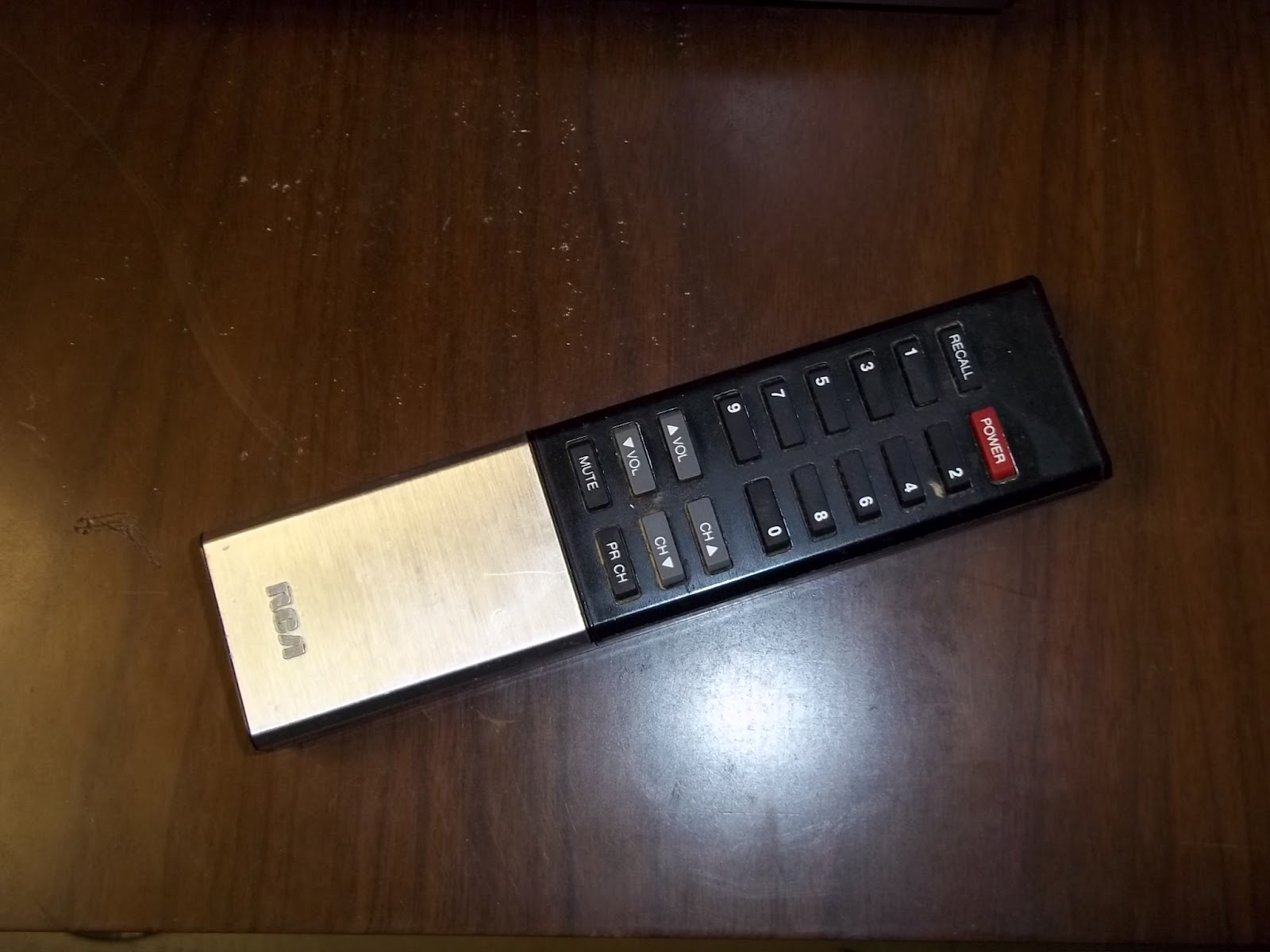

So, with this TV's eye-catching cabinet style and ability to receive both cable and standard VHF and UHF signals, this, to me, is an all-around good TV. I really wish they made more like this one. As I've said, the TV still works, too. The picture looks quite nice despite the fact that this TV is almost 30 years old. I hope to hold onto this TV for many more years.
Wednesday, November 30, 2011
Drivers Under 25, Tickets, and Car Insurance
I've always been a bit paranoid when it comes to the possibility of getting a traffic ticket or worse situation. And when I got my driver's license and was added to my parents' car insurance policy, I was aware of how expensive insurance can be for young drivers.
Now, I'm not sure when and where I first got this notion, but somewhere along the line, I got the impression that if a teen driver (or more specifically, a driver under the age of 25) gets any kind of traffic citation (even just one), his or her rates will skyrocket to the point of being not affordable (not that teen insurance was that affordable anyway). One of the places that strengthened this notion was on teensurance.com: the Teen Auto Insurance Rate Explorer. What I saw on that calculator was pretty frightening. Get just one ticket, and rates can go up by 265% from $484/6 months to $1,287/6 months! I know younger drivers are high risk, but still, talk about ridiculous. Keep in mind, that's with no accidents, no DUIs, a good student discount, old car, high deductible, and low insurance limit. Even with all those factors, a car insurance rate for a young driver can still more than double according to that calculator for just ONE ticket!
I realize insurance companies have different ways of figuring out rate increases, so that calculator might not be entirely accurate, though I have seen some posts online by people who claim the same thing - that getting just one ticket will ruin you if you're under 25. Funny thing is, I've heard of a number of young drivers getting tickets, and their lives don't seem "ruined" by it. Who knows?
Nonetheless, I've always tried to be a careful driver. Not just because of insurance reasons but simply because it's the right thing to do. Still, there have been situations where I've feared I might get a ticket. One of my biggest fears was red-light cameras. Sometimes, those cameras have had a tendency to be triggered unnecessarily, so I wouldn't want to get an unjust ticket. For a while, I avoided red-light intersections altogether whenever possible. These days, I just avoid making right-hand turns at such intersections.
The issue of tickets and car insurance came up with me again in a big way earlier this year when I got a ticket (the only one I've gotten so far in my three years of driving with a license and five years total if you count my learner's permit). I had (and still do to some extent) all these ideas that insurance rates for drivers under 25 would definitely skyrocket beyond control and out of sight - even if it's just one minor ticket. A number of times, I've talked with one of my friends, whose dad works in insurance. One time, I mentioned to him the kind of rates my family has, and his dad thought we were being charged a lot, all things considered.
The company we've had for a number of years now is ANPAC (American National Property and Casualty). When my parents only were on the policy, the rate was somewhere in the neighborhood of about $600/6 months (approximately, I don't really know). When I got on the policy, it went up to $1,070/6 months (which included the good student discount). Then, when I graduated from high school, it went to $1,200/6 months. Then, when I got my 1989 Camry added to the policy last year, the insurance went up to approximately $1,600/6 months. Yes. $1,600 - not a year...but for every 6 MONTHS! And keep in mind, that most of our vehicles are liability-only, we have two older, experienced drivers with clean records, and two of the vehicles are ancient as it is (a 1987 Ford Ranger, a 1989 Toyota Camry, and a 2006 Dodge Stratus). Additionally, my rates have never really gone down, despite turning 21 last year. I know turning 21 isn't as big of a milestone as turning 25, but my friend said that rates usually go down a little by then. Mine didn't go down one single bit. Actually, a few months ago, we did lower the price by lowering the coverage for property damage or whatever. It went from $1,600/6 months to $1,330/6 months. In my opinion, that's still quite a lot. So, if we're being charged this much for old, liability-only cars, and drivers that have had clean records, I'd hate to think how such a company would respond to an under-25 driver getting a ticket. Honestly, I'm quite concerned.
Since I got the ticket when I was 21 (as opposed to a 16-year-old that just recently got a license) and had been driving incident-free for three years, I'd hope that the insurance company might grant me some slight forgiveness - rather than doubling or tripling the insurance rate like I've heard so many stories about just for one ticket. In any event, since I got my ticket, we've renewed our insurance policy once. At that point, the company didn't seem to know about the ticket, as the premium was the same as before, and they didn't show any incidents recorded. However, it was around the same time that my points were actually applied. The next renewal will be in a few months. As I said, I'm quite concerned.
Friday, November 11, 2011
The Story of My First Packard Bell Computer
A few times in this blog, I've referenced my original Packard Bell (a Packard Bell Platinum 2240). However, I'm not sure if I've told the full story of it on here. I've talked about my TeleVideo TS-1605 and the digital DECpc LPx 560, so I think the old Packard Bell deserves some recognition.

Note: the above computer is NOT the same model as my first one. It is just a very similar-looking one (though its specs are a little lower and has a different model number). I am just using this picture to give an idea as to what the computer looked like.
Anyway, my very first Packard Bell was a Packard Bell Platinum 2240, made in early 1997. It had a 200 MHz MMX Pentium processor, 32 MB of EDO RAM (we later upgraded it to 64 MB), 3.2 GB Quantum hard drive (later replaced with a 40 GB Maxtor hard drive, though I still have the original 3.2 GB hard drive), 3.5" floppy drive, and a GoldStar 16x CD-ROM drive. It also had 2 MB of video memory and a SND3-336 card (which also had a built-in modem). The computer originally ran Windows 95 but was upgraded to Windows 98 SE for a while (right after the computer started going downhill). Although I've moved on from this particular computer, I still feel some nostalgia for it - especially for the time during 2003 and 2004 when I formed a love for Packard Bell computers and software and really wanted to get that old thing running again.
So - my dad had been using the old DOS TeleVideo TS-1605 for about 13-14 years. It served its purpose, but I guess it got to a point where he felt it was time to upgrade (even a few years before then, the TeleVideo might still be considered quite obsolete). Once, while he was on a business trip in April 1997, he apparently bought a Packard Bell Platinum 2240 in North Carolina - and later brought it home with him. A few days after he got it, I saw it for myself and was just amazed at how it looked. It had all sorts of controls and looked so modern and futuristic compared to the simple, plain, bland box computer that was the TeleVideo. I'd never seen anything like it before and was so impressed that I even mentioned it to a kid or two in my first grade class.
I didn't start using the computer until a year or two later, though. I started out by playing computer games like Math Blaster: Ages 6-9, Reading Blaster: Ages 9-12, Casper: The Interactive Adventure, POD (or Planet of Death - a racing game), and Ecco. I had tons of fun playing these games, and I would later have new favorites, like The 7th Guest, SimCity Classic, Rodent's Revenge, Rattler Race, Comix Zone, Sonic CD, and many others.
And let's not forget Packard Bell Navigator. In early 1999, I discovered Navigator (or my dad showed it to me - I can't remember). And I discovered many "new" programs like WordPad, Paint, Calculator, and the Windows Entertainment Pack games - along with a few other interactive "games" in the Myspace room. I started writing stories about the Energizer Bunny in WordPad while in the Kidspace room - as well as making "Color World" bitmap images in Paint (which consisted of a bunch of multicolor ovals overlapping each other).
With time, I became more and more creative on the computer. When we got Microsoft Office 2000, I started using PowerPoint to make crude pictures, "games," and movies. I also used Word to write more, longer stories. We also first got the internet on that computer in 2000, though in the early 2000s, I didn't use it nearly as much as I do now. I didn't get into it that much until about 2002-2003 when I started chatting with AIM and posting messages on the Staufmansion-Line Forum (most of which I didn't even do on the Packard Bell). Fun times, fun times. Quite a few examples I could give of all the fun I had with that computer.
In April 2002, my dad started working for a computer company and bought a new computer to help him with the work. It was a Dell Dimension 4400, which cost over $2,000, I think. I still own and use that same computer to this day. I was rather impressed by it when I used it, as there were many things that computer could do that the Packard Bell couldn't. Nonetheless, I was still happy when my dad gave me the Packard Bell on my birthday a few weeks later. I was glad to have a computer of my very own to use. Unfortunately, this would only be short-lived.
About a week into September, the computer started making a clicking and whining sound. At first, I didn't take much notice, though a week later, things became very bad. I went to the CD Player in the taskbar to change the song I was playing, when the computer made the same noise again. Only this time, the computer froze, and I had to restart it. But things got considerably worse. I restarted the computer multiple times but got error messages after error messages. I had no idea what was going on. My mom said that maybe the computer was "tired." It sure seemed that way!
My early attempts at solving the problem were to run ScanDisk and Disk Defragmenter (interestingly enough, only a few hours before the computer first crashed, I was running Disk Defragmenter, and I wondered if that had anything to do with the problem). At first, I thought running those problems fixed the issue, but shortly after, I kept having the same problems. My dad thought the problem was that the computer was looking for a missing file, so he formatted the hard drive and installed Windows 98 SE. At first, things looked okay, but not for long. The computer was acting just as weird as it did before.
After a while, we basically gave up on the computer, and that's when its replacement came in - a PACE Technologies (a no-name brand computer) with a 300 MHz Pentium II MMX processor, 64 MB of RAM, 5-6 GB hard drive, 3.5" floppy drive, and CD-ROM drive - and ran Windows 2000. Though this computer was slightly more modern than the Packard Bell, I didn't like it very much. Its case looked dirty and old, and it seemed more cold and metallic than the "friendly," bright white plastic case of the Packard Bell. It also ran rather slowly, and the sound card didn't even work (at least not with Windows 2000). Also, a lot of my favorite computer games wouldn't run on the computer. However, I didn't have much choice, so for most of my computing needs, I used the PACE. Even though I didn't like it at first, I ended up having some nostalgia for it years later, as I liked the Snow Trees desktop wallpaper.
In 2003, I started doing most of my computer work on the Dell, and I was glad, as it was much more modern, could run more games, and allow me to do creative things with sound clips, artwork, etc. Also, it was a good thing my dad let me do so, as around mid-2003, the PACE quit working as it should have. It sounded like it would run, but there was no image on the screen (I later fixed this problem a year later by reinserting the video card).
In any event, it was around this time that I formed a big love for Packard Bell computers and Packard Bell software. The office interface in Navigator 3.9 looked so modern and neat, and I just hated some of the 3D graphics in Windows 98. And the new installation of Windows didn't have all my old favorite games (Rodent's Revenge, SimCity Classic, etc.). While I realized later I could have installed and run most of those games on just about any version of Windows, it wasn't quite the same as doing it with good old Windows 95. So, right around mid-2003, it was official - I wanted to restore my old computer with Windows 95 and Packard Bell Navigator!
Even though there wasn't much I could do for the Packard Bell at the time, the next best thing was to try to get as close to the old setup as possible. I tried installing Navigator on the Dell by copying all the old NAV files from the Master CD, but I kept getting error messages relating to ODBC.DLL, ODBC.INI, ODBCINST.DLL, ODBCINST.INI, and being unable to load the resource database. The last particular error message was very troubling to me because it was just so vague. It didn't give me any files to look for and barely indicated what the problem was (how was I supposed to know what the resource database was - that seemed like such a general term). Still, for years, I tried and tried again to get Navigator to work. In July 2009, I finally figured out the trick to get Navigator to work, but that's another story. Even though I couldn't get Navigator itself to run, I enjoyed looking through the screenshots and listening to the audio clips - hoping that maybe someday, I could interact with Navigator directly.
In late 2003, I went crazy trying to get Windows 95 back on the Packard Bell. I found the old, original 3.2 GB hard drive and tried to install it, thinking that Windows 95, Navigator, and all my other old, favorite programs were on there. Well, even if they were, I couldn't use them. For whatever reason (I think maybe it had to do with the Maxtor EZ-BIOS settings), the drive wasn't recognized. So, after that didn't work, I researched information on how to restore Windows 95. I was at a bit of a disadvantage since I didn't have a regular Windows 95 CD (and only had a Master CD, which back then, I had no idea I could reinstall Windows with it), so I didn't really know what to do. So finally, I made the stupid mistake of deleting all the files on the hard drive while in Windows.
And for several months after that, I was never able to use Windows again. I couldn't read from the CD-ROM drive when booting from the hard drive, and I couldn't read the hard drive when booting from the floppy and CD-ROM drive. I was in a real mess. Once I realized I could have installed Windows from the Master CD - and now couldn't due to the problem with the hard drive and CD-ROM drive, I knew I was stuck. If only I had a version of Windows I could install via floppy disk back then.
Eventually, my mom and I ordered a Windows 95 install CD, and I hoped that might be of help. It would have been better if it had floppies to install the OS, but oh well. I used another computer to transfer the Windows 95 files from the CD to a floppy disk. Slowly but surely, I copied the files onto the computer. Unfortunately, it didn't do much good, and I was at a standstill.
My dad, knowing how much I liked the old Packard Bell, took it to a repair center in December 2003 to see if the technicians could fix it. I was really happy but nervous at the same time. What if they couldn't fix it? To my horror, there was some bad news more than a week later. They called and said that they were having problems with it and that they thought the motherboard was the issue. A new one would increase the repair bill to about $500. My dad didn't think it was worth it to spend that much money on an old computer, so he suggested getting a new computer for me. I was open to the idea but still wanted the Packard Bell, as it meant a lot to me. A few days later, we went to look at some new computers, but I wasn't particularly interested at the time, so I passed (though I wish I had gotten one of those computers while I had the chance).
A day or so later, the technicians called back, confirming that the problem was the motherboard. However, they said that a new board would actually up the cost to $250 instead of $500 like they originally said. My dad reluctantly agreed to the motherboard replacement, and that made my day.
About a month later (January 2004), the computer was ready for pick-up. Apparently, it was now working and running Windows 95 for the first time since September 2002! We went to the repair place to get it, and a technician commented that the computer was quite hard to deal with. Once we got home, I set up the computer and turned it on and was excited to see Windows 95 running once again! Sadly, it didn't have Navigator or any of the other programs on it, but that was a problem for another day.
I installed a few programs on the computer, and everything seemed fine at first - until after the third program was installed. I got an error message, saying, "Sector not found reading drive C: Abort, Retry, Ignore, Fail." I was very crestfallen to see this. The computer was having problems again (though different ones, this time). I hoped this was just a one-time thing, but unfortunately, the problem grew more and more persistent. At first, I could just ignore it, but with time, I couldn't get past it. Eventually, I couldn't read from the hard drive or CD-ROM drive anymore. At least things were a little more stable with the other motherboard.
My dad found out that the computer was having problems again and reluctantly took it back for more work. But things wouldn't turn out well for the Packard Bell. More than a month passed, and we didn't hear from the technicians, so one day, in March 2004, we called them. Apparently, they had given up on the computer and couldn't fix it. Unless I'm mistaken, my mom said that they said they had never seen a computer that was so hard to fix.
A few days later, my parents picked up the computer, and it was waiting for me in my room when I got home from school. I was glad to see it again, despite the problems it had, and was eager to try an experiment on it. I put in the spare 5.25" drive from the TeleVideo, and to my delight, it worked! Now, I could transfer files from more modern computers to the old TeleVideo! Sure enough, I was playing Castle Adventure on that computer in no time! Unfortunately, about two months later, the Packard Bell even failed to recognize the floppy drives, and it had been rendered almost completely unusable.
At that point, I started to turn my attention to the old PACE computer. It had been about a year since I last used it, and I wanted to get all my personal files off it in case that computer never worked again. I started tinkering with it, looking inside it, and so on. Several months earlier, I cut off one of the PSU plugs when taking out the CD-ROM drive, as I had trouble unplugging it. I feared that something bad would happen if I turned the computer on, so I was reluctant to do so. I later put electrical tape around the cut ends and turned the computer on. Fortunately, it ran fine, and I was also glad to see that the video card was working again.
I then considered using the parts from the PACE computer to repair the Packard Bell. At the time, I was learning about motherboard form factors and knew that the PACE's motherboard wouldn't properly fit in the Packard Bell, but I could try to crudely position it in there (assuming I could take the crossbar out). So, I asked my dad to drill some of the rivets out of the computer case, and once he did, I removed the crossbar and put the motherboard tray from the PACE horizontally across the bottom of the Packard Bell. I then put the other components inside, and it worked. Well, yes, it did work, but I couldn't fit the cover over the case, and the ports weren't sticking out where they should have. Still, that was the best repair I could make with that Packard Bell. I later installed Windows 95 and tried (once again) to get Navigator to work but failed. I did, however, get many other programs to work (like SimCity Classic), and I found drivers for the sound card (they would work on Windows 95 and 98 but sadly still not on Windows 2000).
In early 2005, I was going through a phase where I wanted to make major improvements on myself. I tried to take a look at what I was doing and where I was going. And I started to feel that I shouldn't try to force a repair on the Packard Bell that wasn't appropriate for it. At the time, I had the computer in a small cabinet under my desk, and it was a real pain to deal with whenever I had to plug or unplug something. I finally decided to put the computer parts back in the PACE and use that as my computer. I then took the Packard Bell and put it on a shelf in my closet. And there it sat, sadly spending its final moments in my house useless and with a dark, empty space in the top drive bay where the CD-ROM drive once was. The same computer that was once full of life, playing all the old games I loved. Now useless and could barely do anything.
For a while, I decided to keep the Packard Bell, as I was still a computer nerd and wanted to keep it around for nostalgia and access to parts. However, I eventually decided to get rid of it. I felt it would be healthy for me to let go of it and move on, and it would also save space in my closet. So, in April 2005, I got rid of the Packard Bell Platinum 2240 - the very first Packard Bell I used and that gave me some of my first computing memories and inspirations - the computer that had been with us for almost eight long years. I put it out for the garbage and checked on it the very next day. The computer was gone, but surprisingly, the garbage hadn't even come yet. Someone must have taken it. Who knows what the final fate of that computer was/is?
Even though initially, I was glad to get rid of the Packard Bell, I still felt nostalgia for the Packard Bell computers and software and wished I hadn't gotten rid of it. From time to time, I would see computers on eBay that I wanted to get and considered buying them. But everything changed earlier this year when I learned that a YouTube user named Roadgeek got a vast majority of his Packard Bells from a thrift store called Value Village. I was glad to see there was a Value Village in my area (several actually), so one day, I went to the closest one, hoping that I'd find one. Very shockingly, the very first time I looked, I found a Packard Bell! And not just any Packard Bell, either. It was in the same style (though different model, same one in the picture at the beginning of this blog post) as my Platinum 2240! Best of all, it only cost $3.00! What a bargain! A lot better than paying hundreds of dollars on eBay! Needless to say, I bought it right on the spot. I also went to America's Thrift Store next door and found a Packard Bell monitor and keyboard! At home, I learned that the computer did indeed work and was glad to have another one almost just like my old one.
So, that wraps up my quite long story of my first Packard Bell. Since getting the replacement for the Platinum 2240 (the Platinum Supreme 1665), I've purchased three more Packard Bells. All of these have been fun to use, though my interest in Packard Bells never would have existed if it weren't for my very first one. Hopefully, I'll remember the fun I had with that computer for a long time.

Note: the above computer is NOT the same model as my first one. It is just a very similar-looking one (though its specs are a little lower and has a different model number). I am just using this picture to give an idea as to what the computer looked like.
Anyway, my very first Packard Bell was a Packard Bell Platinum 2240, made in early 1997. It had a 200 MHz MMX Pentium processor, 32 MB of EDO RAM (we later upgraded it to 64 MB), 3.2 GB Quantum hard drive (later replaced with a 40 GB Maxtor hard drive, though I still have the original 3.2 GB hard drive), 3.5" floppy drive, and a GoldStar 16x CD-ROM drive. It also had 2 MB of video memory and a SND3-336 card (which also had a built-in modem). The computer originally ran Windows 95 but was upgraded to Windows 98 SE for a while (right after the computer started going downhill). Although I've moved on from this particular computer, I still feel some nostalgia for it - especially for the time during 2003 and 2004 when I formed a love for Packard Bell computers and software and really wanted to get that old thing running again.
So - my dad had been using the old DOS TeleVideo TS-1605 for about 13-14 years. It served its purpose, but I guess it got to a point where he felt it was time to upgrade (even a few years before then, the TeleVideo might still be considered quite obsolete). Once, while he was on a business trip in April 1997, he apparently bought a Packard Bell Platinum 2240 in North Carolina - and later brought it home with him. A few days after he got it, I saw it for myself and was just amazed at how it looked. It had all sorts of controls and looked so modern and futuristic compared to the simple, plain, bland box computer that was the TeleVideo. I'd never seen anything like it before and was so impressed that I even mentioned it to a kid or two in my first grade class.
I didn't start using the computer until a year or two later, though. I started out by playing computer games like Math Blaster: Ages 6-9, Reading Blaster: Ages 9-12, Casper: The Interactive Adventure, POD (or Planet of Death - a racing game), and Ecco. I had tons of fun playing these games, and I would later have new favorites, like The 7th Guest, SimCity Classic, Rodent's Revenge, Rattler Race, Comix Zone, Sonic CD, and many others.
And let's not forget Packard Bell Navigator. In early 1999, I discovered Navigator (or my dad showed it to me - I can't remember). And I discovered many "new" programs like WordPad, Paint, Calculator, and the Windows Entertainment Pack games - along with a few other interactive "games" in the Myspace room. I started writing stories about the Energizer Bunny in WordPad while in the Kidspace room - as well as making "Color World" bitmap images in Paint (which consisted of a bunch of multicolor ovals overlapping each other).
With time, I became more and more creative on the computer. When we got Microsoft Office 2000, I started using PowerPoint to make crude pictures, "games," and movies. I also used Word to write more, longer stories. We also first got the internet on that computer in 2000, though in the early 2000s, I didn't use it nearly as much as I do now. I didn't get into it that much until about 2002-2003 when I started chatting with AIM and posting messages on the Staufmansion-Line Forum (most of which I didn't even do on the Packard Bell). Fun times, fun times. Quite a few examples I could give of all the fun I had with that computer.
In April 2002, my dad started working for a computer company and bought a new computer to help him with the work. It was a Dell Dimension 4400, which cost over $2,000, I think. I still own and use that same computer to this day. I was rather impressed by it when I used it, as there were many things that computer could do that the Packard Bell couldn't. Nonetheless, I was still happy when my dad gave me the Packard Bell on my birthday a few weeks later. I was glad to have a computer of my very own to use. Unfortunately, this would only be short-lived.
About a week into September, the computer started making a clicking and whining sound. At first, I didn't take much notice, though a week later, things became very bad. I went to the CD Player in the taskbar to change the song I was playing, when the computer made the same noise again. Only this time, the computer froze, and I had to restart it. But things got considerably worse. I restarted the computer multiple times but got error messages after error messages. I had no idea what was going on. My mom said that maybe the computer was "tired." It sure seemed that way!
My early attempts at solving the problem were to run ScanDisk and Disk Defragmenter (interestingly enough, only a few hours before the computer first crashed, I was running Disk Defragmenter, and I wondered if that had anything to do with the problem). At first, I thought running those problems fixed the issue, but shortly after, I kept having the same problems. My dad thought the problem was that the computer was looking for a missing file, so he formatted the hard drive and installed Windows 98 SE. At first, things looked okay, but not for long. The computer was acting just as weird as it did before.
After a while, we basically gave up on the computer, and that's when its replacement came in - a PACE Technologies (a no-name brand computer) with a 300 MHz Pentium II MMX processor, 64 MB of RAM, 5-6 GB hard drive, 3.5" floppy drive, and CD-ROM drive - and ran Windows 2000. Though this computer was slightly more modern than the Packard Bell, I didn't like it very much. Its case looked dirty and old, and it seemed more cold and metallic than the "friendly," bright white plastic case of the Packard Bell. It also ran rather slowly, and the sound card didn't even work (at least not with Windows 2000). Also, a lot of my favorite computer games wouldn't run on the computer. However, I didn't have much choice, so for most of my computing needs, I used the PACE. Even though I didn't like it at first, I ended up having some nostalgia for it years later, as I liked the Snow Trees desktop wallpaper.
In 2003, I started doing most of my computer work on the Dell, and I was glad, as it was much more modern, could run more games, and allow me to do creative things with sound clips, artwork, etc. Also, it was a good thing my dad let me do so, as around mid-2003, the PACE quit working as it should have. It sounded like it would run, but there was no image on the screen (I later fixed this problem a year later by reinserting the video card).
In any event, it was around this time that I formed a big love for Packard Bell computers and Packard Bell software. The office interface in Navigator 3.9 looked so modern and neat, and I just hated some of the 3D graphics in Windows 98. And the new installation of Windows didn't have all my old favorite games (Rodent's Revenge, SimCity Classic, etc.). While I realized later I could have installed and run most of those games on just about any version of Windows, it wasn't quite the same as doing it with good old Windows 95. So, right around mid-2003, it was official - I wanted to restore my old computer with Windows 95 and Packard Bell Navigator!
Even though there wasn't much I could do for the Packard Bell at the time, the next best thing was to try to get as close to the old setup as possible. I tried installing Navigator on the Dell by copying all the old NAV files from the Master CD, but I kept getting error messages relating to ODBC.DLL, ODBC.INI, ODBCINST.DLL, ODBCINST.INI, and being unable to load the resource database. The last particular error message was very troubling to me because it was just so vague. It didn't give me any files to look for and barely indicated what the problem was (how was I supposed to know what the resource database was - that seemed like such a general term). Still, for years, I tried and tried again to get Navigator to work. In July 2009, I finally figured out the trick to get Navigator to work, but that's another story. Even though I couldn't get Navigator itself to run, I enjoyed looking through the screenshots and listening to the audio clips - hoping that maybe someday, I could interact with Navigator directly.
In late 2003, I went crazy trying to get Windows 95 back on the Packard Bell. I found the old, original 3.2 GB hard drive and tried to install it, thinking that Windows 95, Navigator, and all my other old, favorite programs were on there. Well, even if they were, I couldn't use them. For whatever reason (I think maybe it had to do with the Maxtor EZ-BIOS settings), the drive wasn't recognized. So, after that didn't work, I researched information on how to restore Windows 95. I was at a bit of a disadvantage since I didn't have a regular Windows 95 CD (and only had a Master CD, which back then, I had no idea I could reinstall Windows with it), so I didn't really know what to do. So finally, I made the stupid mistake of deleting all the files on the hard drive while in Windows.
And for several months after that, I was never able to use Windows again. I couldn't read from the CD-ROM drive when booting from the hard drive, and I couldn't read the hard drive when booting from the floppy and CD-ROM drive. I was in a real mess. Once I realized I could have installed Windows from the Master CD - and now couldn't due to the problem with the hard drive and CD-ROM drive, I knew I was stuck. If only I had a version of Windows I could install via floppy disk back then.
Eventually, my mom and I ordered a Windows 95 install CD, and I hoped that might be of help. It would have been better if it had floppies to install the OS, but oh well. I used another computer to transfer the Windows 95 files from the CD to a floppy disk. Slowly but surely, I copied the files onto the computer. Unfortunately, it didn't do much good, and I was at a standstill.
My dad, knowing how much I liked the old Packard Bell, took it to a repair center in December 2003 to see if the technicians could fix it. I was really happy but nervous at the same time. What if they couldn't fix it? To my horror, there was some bad news more than a week later. They called and said that they were having problems with it and that they thought the motherboard was the issue. A new one would increase the repair bill to about $500. My dad didn't think it was worth it to spend that much money on an old computer, so he suggested getting a new computer for me. I was open to the idea but still wanted the Packard Bell, as it meant a lot to me. A few days later, we went to look at some new computers, but I wasn't particularly interested at the time, so I passed (though I wish I had gotten one of those computers while I had the chance).
A day or so later, the technicians called back, confirming that the problem was the motherboard. However, they said that a new board would actually up the cost to $250 instead of $500 like they originally said. My dad reluctantly agreed to the motherboard replacement, and that made my day.
About a month later (January 2004), the computer was ready for pick-up. Apparently, it was now working and running Windows 95 for the first time since September 2002! We went to the repair place to get it, and a technician commented that the computer was quite hard to deal with. Once we got home, I set up the computer and turned it on and was excited to see Windows 95 running once again! Sadly, it didn't have Navigator or any of the other programs on it, but that was a problem for another day.
I installed a few programs on the computer, and everything seemed fine at first - until after the third program was installed. I got an error message, saying, "Sector not found reading drive C: Abort, Retry, Ignore, Fail." I was very crestfallen to see this. The computer was having problems again (though different ones, this time). I hoped this was just a one-time thing, but unfortunately, the problem grew more and more persistent. At first, I could just ignore it, but with time, I couldn't get past it. Eventually, I couldn't read from the hard drive or CD-ROM drive anymore. At least things were a little more stable with the other motherboard.
My dad found out that the computer was having problems again and reluctantly took it back for more work. But things wouldn't turn out well for the Packard Bell. More than a month passed, and we didn't hear from the technicians, so one day, in March 2004, we called them. Apparently, they had given up on the computer and couldn't fix it. Unless I'm mistaken, my mom said that they said they had never seen a computer that was so hard to fix.
A few days later, my parents picked up the computer, and it was waiting for me in my room when I got home from school. I was glad to see it again, despite the problems it had, and was eager to try an experiment on it. I put in the spare 5.25" drive from the TeleVideo, and to my delight, it worked! Now, I could transfer files from more modern computers to the old TeleVideo! Sure enough, I was playing Castle Adventure on that computer in no time! Unfortunately, about two months later, the Packard Bell even failed to recognize the floppy drives, and it had been rendered almost completely unusable.
At that point, I started to turn my attention to the old PACE computer. It had been about a year since I last used it, and I wanted to get all my personal files off it in case that computer never worked again. I started tinkering with it, looking inside it, and so on. Several months earlier, I cut off one of the PSU plugs when taking out the CD-ROM drive, as I had trouble unplugging it. I feared that something bad would happen if I turned the computer on, so I was reluctant to do so. I later put electrical tape around the cut ends and turned the computer on. Fortunately, it ran fine, and I was also glad to see that the video card was working again.
I then considered using the parts from the PACE computer to repair the Packard Bell. At the time, I was learning about motherboard form factors and knew that the PACE's motherboard wouldn't properly fit in the Packard Bell, but I could try to crudely position it in there (assuming I could take the crossbar out). So, I asked my dad to drill some of the rivets out of the computer case, and once he did, I removed the crossbar and put the motherboard tray from the PACE horizontally across the bottom of the Packard Bell. I then put the other components inside, and it worked. Well, yes, it did work, but I couldn't fit the cover over the case, and the ports weren't sticking out where they should have. Still, that was the best repair I could make with that Packard Bell. I later installed Windows 95 and tried (once again) to get Navigator to work but failed. I did, however, get many other programs to work (like SimCity Classic), and I found drivers for the sound card (they would work on Windows 95 and 98 but sadly still not on Windows 2000).
In early 2005, I was going through a phase where I wanted to make major improvements on myself. I tried to take a look at what I was doing and where I was going. And I started to feel that I shouldn't try to force a repair on the Packard Bell that wasn't appropriate for it. At the time, I had the computer in a small cabinet under my desk, and it was a real pain to deal with whenever I had to plug or unplug something. I finally decided to put the computer parts back in the PACE and use that as my computer. I then took the Packard Bell and put it on a shelf in my closet. And there it sat, sadly spending its final moments in my house useless and with a dark, empty space in the top drive bay where the CD-ROM drive once was. The same computer that was once full of life, playing all the old games I loved. Now useless and could barely do anything.
For a while, I decided to keep the Packard Bell, as I was still a computer nerd and wanted to keep it around for nostalgia and access to parts. However, I eventually decided to get rid of it. I felt it would be healthy for me to let go of it and move on, and it would also save space in my closet. So, in April 2005, I got rid of the Packard Bell Platinum 2240 - the very first Packard Bell I used and that gave me some of my first computing memories and inspirations - the computer that had been with us for almost eight long years. I put it out for the garbage and checked on it the very next day. The computer was gone, but surprisingly, the garbage hadn't even come yet. Someone must have taken it. Who knows what the final fate of that computer was/is?
Even though initially, I was glad to get rid of the Packard Bell, I still felt nostalgia for the Packard Bell computers and software and wished I hadn't gotten rid of it. From time to time, I would see computers on eBay that I wanted to get and considered buying them. But everything changed earlier this year when I learned that a YouTube user named Roadgeek got a vast majority of his Packard Bells from a thrift store called Value Village. I was glad to see there was a Value Village in my area (several actually), so one day, I went to the closest one, hoping that I'd find one. Very shockingly, the very first time I looked, I found a Packard Bell! And not just any Packard Bell, either. It was in the same style (though different model, same one in the picture at the beginning of this blog post) as my Platinum 2240! Best of all, it only cost $3.00! What a bargain! A lot better than paying hundreds of dollars on eBay! Needless to say, I bought it right on the spot. I also went to America's Thrift Store next door and found a Packard Bell monitor and keyboard! At home, I learned that the computer did indeed work and was glad to have another one almost just like my old one.
So, that wraps up my quite long story of my first Packard Bell. Since getting the replacement for the Platinum 2240 (the Platinum Supreme 1665), I've purchased three more Packard Bells. All of these have been fun to use, though my interest in Packard Bells never would have existed if it weren't for my very first one. Hopefully, I'll remember the fun I had with that computer for a long time.
Subscribe to:
Posts (Atom)
